Category: Uncategorized

  • Nvme vs PCIE

    The number of NVMe disks a PCIe 4.0 slot can support at full speed depends on how many PCIe lanes are available on the slot and how the NVMe SSDs are connected through the adapter.

    PCIe 4.0 Bandwidth and Lane Configuration:

    • PCIe 4.0 can deliver 16 GT/s (Gigatransfers per second) per lane, and each lane provides a theoretical 2 GB/s of bandwidth in each direction.

    • Typically, a single NVMe SSD requires 4 PCIe lanes (x4) to operate at full speed, which provides a maximum theoretical throughput of 8 GB/s (since PCIe 4.0 x4 offers around 8 GB/s in total bandwidth).

    Scenarios for Multiple NVMe Drives:

    1. Single PCIe 4.0 x16 Slot:

    • A PCIe 4.0 x16 slot can provide 16 lanes of bandwidth. If you’re using a PCIe to NVMe adapter that supports multiple drives, the number of NVMe disks it can fully support depends on how it splits the bandwidth across the lanes.

    • Example: A PCIe 4.0 x16 slot theoretically supports 4 NVMe drives in a 4×4 configuration (one x4 for each drive), delivering full-speed performance (up to 8 GB/s per SSD).

    2. Single PCIe 4.0 x8 Slot:

    • A PCIe 4.0 x8 slot provides 8 lanes, so it can support 2 NVMe SSDs at full speed (each getting 4 lanes or x4).

    3. Single PCIe 4.0 x4 Slot:

    • A PCIe 4.0 x4 slot provides 4 lanes, which means it can support 1 NVMe SSD at full speed.

    4. PCIe 4.0 x1 Slot:

    • A PCIe 4.0 x1 slot provides just 1 lane, which can support only one NVMe SSD at a much slower speed (lower than the typical x4 configuration for NVMe).

    Conclusion:

    • A PCIe 4.0 x16 slot can fully support up to 4 NVMe drives at full speed (if the adapter is designed for this).

    • A PCIe 4.0 x8 slot can support 2 NVMe drives at full speed.

    • A PCIe 4.0 x4 slot can support 1 NVMe drive at full speed.

    So, to maximize the number of NVMe SSDs running at full speed, you need to ensure you have a PCIe 4.0 x16 slot and a multi-drive NVMe adapter capable of splitting the lanes correctly.
  • Convert Page to Post

    How to Convert a Page to a Post in WordPress

    If you need to convert a WordPress page into a post, here are the best ways to do it:


    1️⃣ Use a Plugin (Easiest Method)

    The best way to convert a page to a post is by using a plugin.

    🔹 Recommended Plugin: Post Type Switcher

    Allows easy conversion between pages and posts
    Keeps content, SEO, and formatting intact
    No coding required

    🔹 Steps to Convert a Page to a Post

    1. Install & Activate the “Post Type Switcher” plugin.
    2. Go to Pages → All Pages in the WordPress dashboard.
    3. Find the page you want to convert.
    4. Click Quick Edit and change the “Post Type” to Post.
    5. Click Update—done! 🎉

    📌 You can also bulk-edit multiple pages to convert them into posts.


    2️⃣ Convert Manually (Without a Plugin)

    If you don’t want to use a plugin, you can manually copy the page content and re-create it as a post.

    🔹 Steps:

    1. Open the page you want to convert.
    2. Copy all the content.
    3. Go to Posts → Add New and paste the content.
    4. Assign the correct category and tags.
    5. Click Publish, then delete the original page (optional).

    📌 This method is best for a small number of pages.


    3️⃣ Convert Using PHP Code (For Developers)

    If you need to bulk convert pages to posts, you can use a small PHP script.

    🔹 Add This Code to functions.php

    function convert_pages_to_posts() {
        global $wpdb;
        $wpdb->query("UPDATE $wpdb->posts SET post_type='post' WHERE post_type='page'");
    }
    add_action('init', 'convert_pages_to_posts');

    📌 This will convert ALL pages to posts!
    🔴 Warning: Remove the code after running it to prevent it from executing repeatedly.


    🎯 Which Method Should You Use?

    • Use a Plugin if you want a quick and easy way.
    • Copy & Paste Manually if you only need to convert a few pages.
    • Use PHP Code if you want to bulk-convert many pages.

    Would you like help choosing the best option for your case? 😊

  • Post List

    • Convert Page to Post

      How to Convert a Page to a Post in WordPress If you need to convert a WordPress page into a post, here are the best ways to do it: 1️⃣ Use a Plugin (Easiest Method) The best way to convert a page to a post is by using a plugin. 🔹 Recommended Plugin: Post Type…

    • Group Pages with Categories

      Can You Group Pages by Category in WordPress? By default, WordPress does not support categories for pages (only for posts). However, you can still group pages using categories by using plugins or custom code. 1️⃣ Using a Plugin (Easy Method) The easiest way to add categories to pages is by using a plugin. 📌 Recommended Plugin: Pages with Category and Tag…

    • Post List

    • 小红书Embed

      Show you have to embed a xiaohongshu link to the page

    • Sidebar

      Adding a sidebar to a WordPress page depends on your theme and the method you prefer. Here are the main ways to do it: 1. Use WordPress Widgets (Easiest Method) Most WordPress themes support sidebars that can be managed through Appearance > Widgets. Steps: 👉 Note: If your theme doesn’t support sidebars, try another method…

    • Password Protecting Site

      Password protecting a WordPress site can be done in several ways depending on the level of security you need. Here are the main methods: 1. Use a Plugin (Easiest Method) Several plugins allow you to easily password-protect your entire site, individual pages, or posts. Recommended Plugins: Steps to Use the “Password Protected” Plugin: 2. Password…

    • Image Map (hotspot)

      Here are some free online tools to create hotspot images (image maps) easily: 1. Image-Map.net (Free & Simple) 🔗 https://www.image-map.net/ 2. ImageMapster (Interactive Hotspots) 🔗 http://www.outsharked.com/imagemapster/ 3. HTML-Map Creator (Basic & Lightweight) 🔗 https://www.maschek.hu/imagemap/imgmap 4. Canva (With Links) (Drag & Drop, Free with Limitations) 🔗 https://www.canva.com/ Would you like help integrating one of these into…

    • WordPress Theme

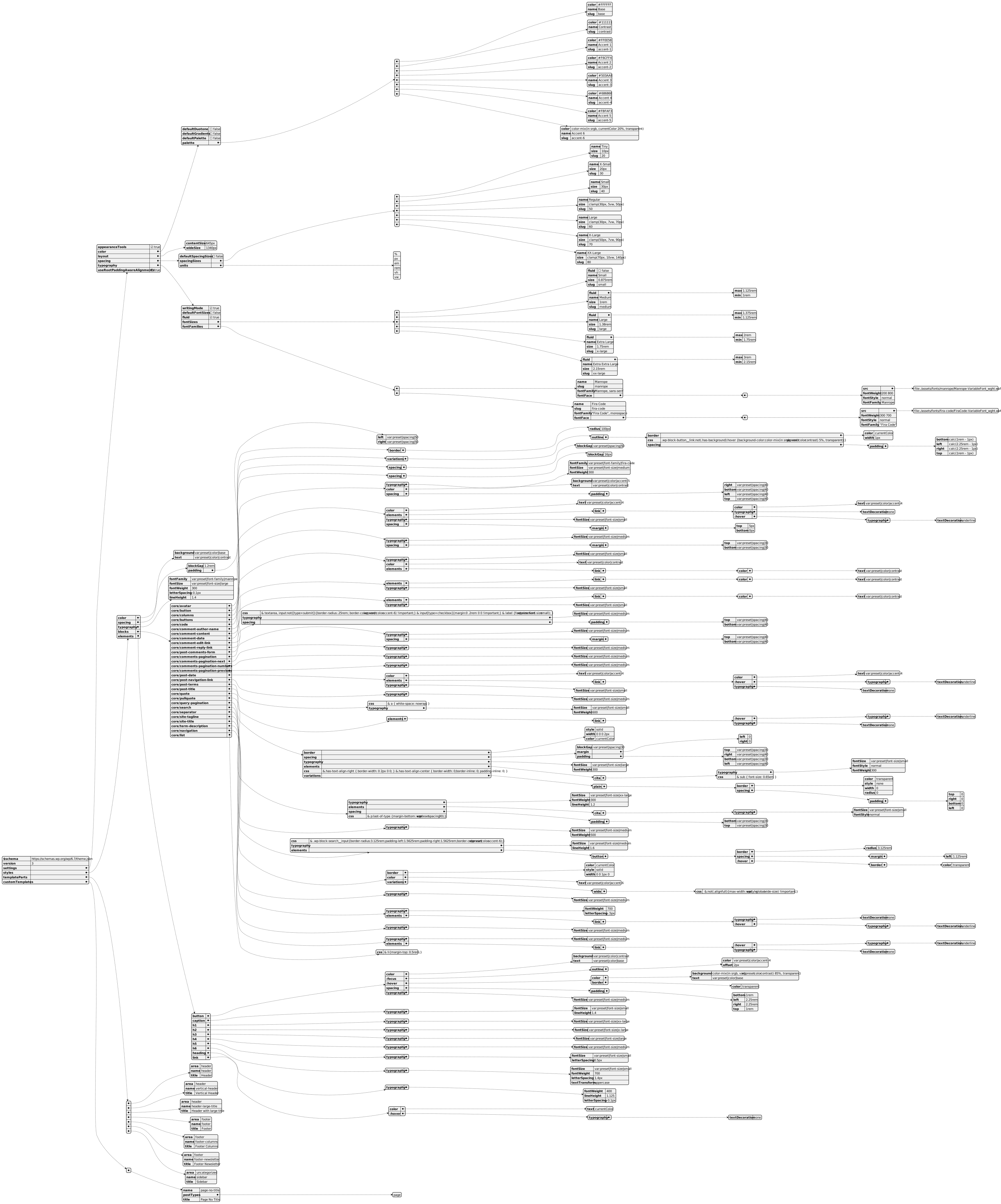
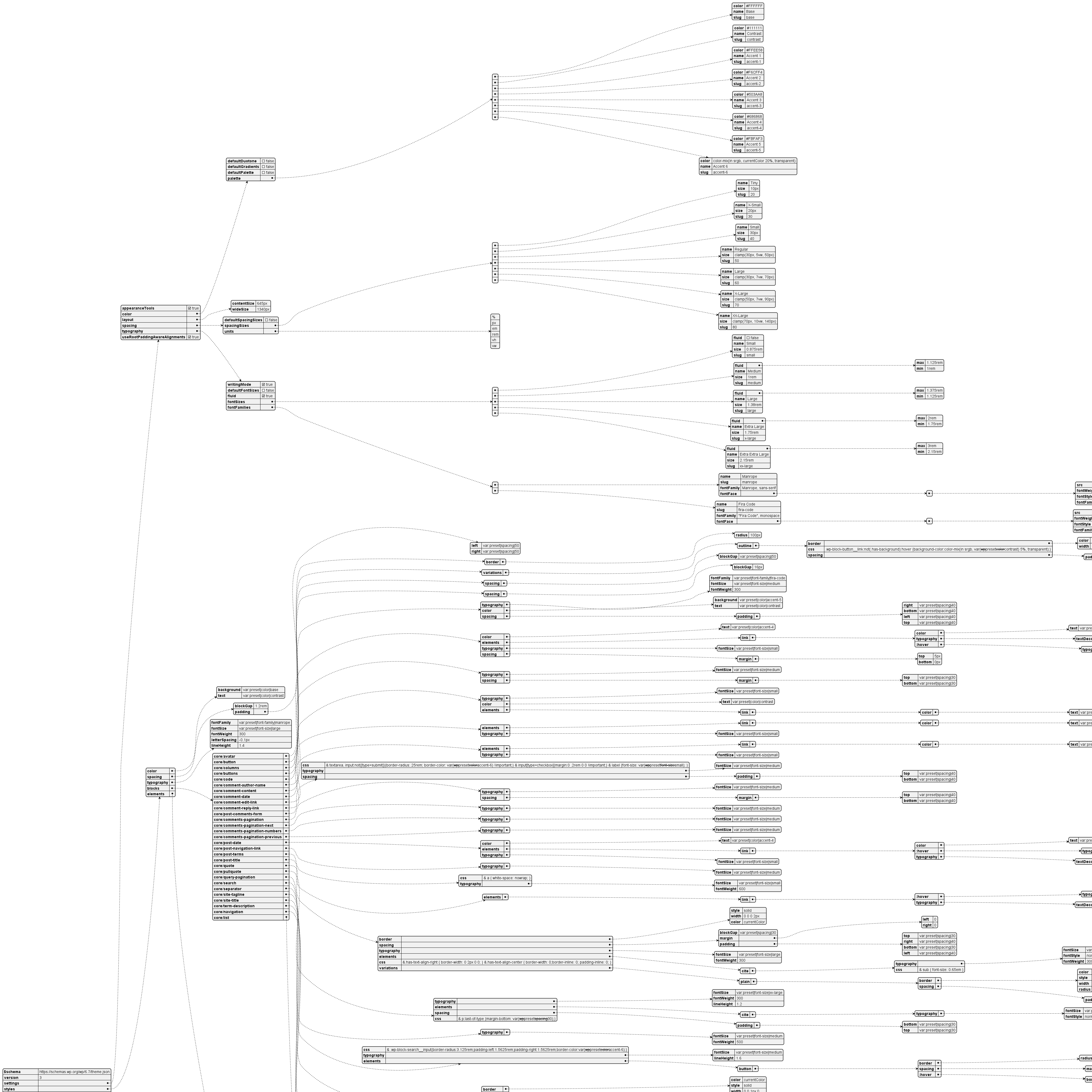
      URLs Reference Learning Theme Handbook theme.json 2025 theme.json https://notes.zj1963.com/wp-content/uploads/2025/02/theme-json.svg